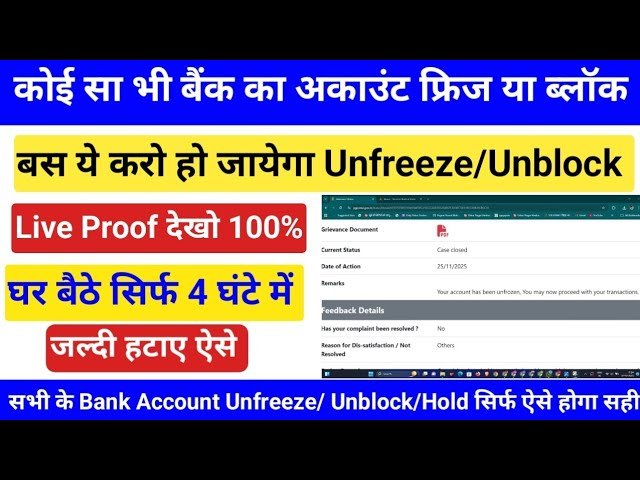
A frozen bank account can be very stressful, especially when you urgently need money. When your bank account is frozen, you cannot withdraw cash, make UPI payments, or use internet banking services. Many people think they must visit the bank branch, but in many cases, you can unfreeze your bank account online by completing a few simple steps.
Banks freeze accounts mainly for security, KYC compliance, or legal reasons. If you understand the reason behind the freeze and follow the correct process, your account can be reactivated quickly. In this article, we will explain how to unfreeze your bank account online, the common reasons for account freeze, and important tips to avoid this problem in the future.
Common Reasons Why Bank Accounts Get Frozen
Before trying to unfreeze your account, it is important to know why it was frozen.
1. Incomplete KYC
Banks are required to collect PAN, Aadhaar, and address proof. If your KYC is incomplete or outdated, the bank may block debit transactions.
2. Suspicious or High-Value Transactions
Sudden large deposits, multiple transactions from unknown people, or P2P and crypto trading can trigger automatic security checks.
3. Dormant Account
If there is no transaction in your account for a long time, the bank marks it as inactive and restricts services.
4. PAN Not Linked
If your PAN is not linked to your bank account, debit facilities can be stopped.
5. Fraud Complaint
If someone reports a transaction as fraud, the bank may temporarily freeze your account for investigation.
6. Legal or Government Order
Income tax notice, cybercrime case, or court order can also lead to account freeze.
Can You Unfreeze a Bank Account Online?
Yes, in many cases you can unfreeze your bank account online, especially if the freeze is due to:
- Incomplete KYC
- PAN not linked
- Dormant account
- Basic verification issues
However, if your account is frozen due to legal or fraud investigation, you may need to visit the branch.
How to Unfreeze Bank Account Online – Step-by-Step
Step 1: Check the Reason for Freeze
Login to your bank’s mobile app or internet banking. Many banks show the reason for account restriction in notifications or account status messages. You can also call customer care to confirm the exact reason.
Step 2: Complete Online KYC
If your account is frozen due to incomplete KYC:
- Open your bank’s mobile app or website
- Go to “Update KYC” or “Profile” section
- Upload Aadhaar, PAN, and address proof
- Verify using OTP
In many banks, video KYC is also available.
Step 3: Link PAN with Bank Account
If PAN is not linked:
- Login to internet banking
- Go to “PAN Update” or “Tax Details”
- Enter PAN number
- Verify using OTP
Your account may be reactivated within 24 to 48 hours.
Step 4: Reactivate Dormant Account Online
Some banks allow reactivation of dormant accounts through:
- Internet banking
- Mobile app
- Customer care request
You may need to do one small transaction after reactivation.
Step 5: Submit Online Request
Most banks provide an option to raise a service request:
- Select “Account Reactivation” or “Remove Debit Freeze”
- Write a short request message
- Upload documents if required
Step 6: Wait for Bank Verification
Once documents are submitted:
- Bank verifies your details
- Processing time is usually 24–72 hours
- You will receive SMS or email confirmation
When You Must Visit the Bank Branch
Online unfreezing is not possible if:
- Your account is frozen by court or income tax department
- There is a cybercrime or fraud case
- Large suspicious transactions are under investigation
In such cases, you must visit the branch with:
- Aadhaar card
- PAN card
- Bank passbook
- Transaction details
How Long Does It Take to Unfreeze a Bank Account?
- KYC-related freeze: 24–72 hours
- PAN linking issue: 1–2 days
- Dormant account: same day to 3 days
- Legal or fraud case: depends on investigation
Important Tips to Avoid Account Freeze
- Always keep KYC updated
- Do not accept money from unknown people
- Link PAN and Aadhaar
- Use your account regularly
- Avoid using account for suspicious activities
Frequently Asked Questions (FAQ)
Q1. Can I withdraw money after unfreezing online?
Yes, once the bank removes restrictions, you can use ATM, UPI, and net banking normally.
Q2. Is it free to unfreeze bank account online?
Yes, most banks do not charge any fee for KYC update or reactivation.
Q3. Can salary account also be frozen?
Yes, any type of account can be frozen if rules are not followed.
Q4. Will unfreezing affect my CIBIL score?
No, account freeze does not directly affect your credit score.
Q5. Can I unfreeze a joint account online?
Yes, but both account holders may need to verify details.
Conclusion
A frozen bank account can disrupt your daily life, but in many cases, it can be unfrozen online easily. Most freezes happen due to incomplete KYC, PAN linking issues, or inactive accounts. By completing online verification and submitting a request, you can restore your banking services without visiting the branch.
Always keep your documents updated and monitor your transactions to avoid such problems in the future. If the freeze is due to legal or fraud reasons, you must cooperate with the bank and authorities for quick resolution.